

What It Does
Running on AWS but want to switch to DigitalOcean? On GCP but need to move to Azure? Tell Monk to migrate your application. It handles the rest.How It Works
The Migration Process
Starting point:- Your application is running on Cloud A (e.g., AWS)
- Managed by Monk
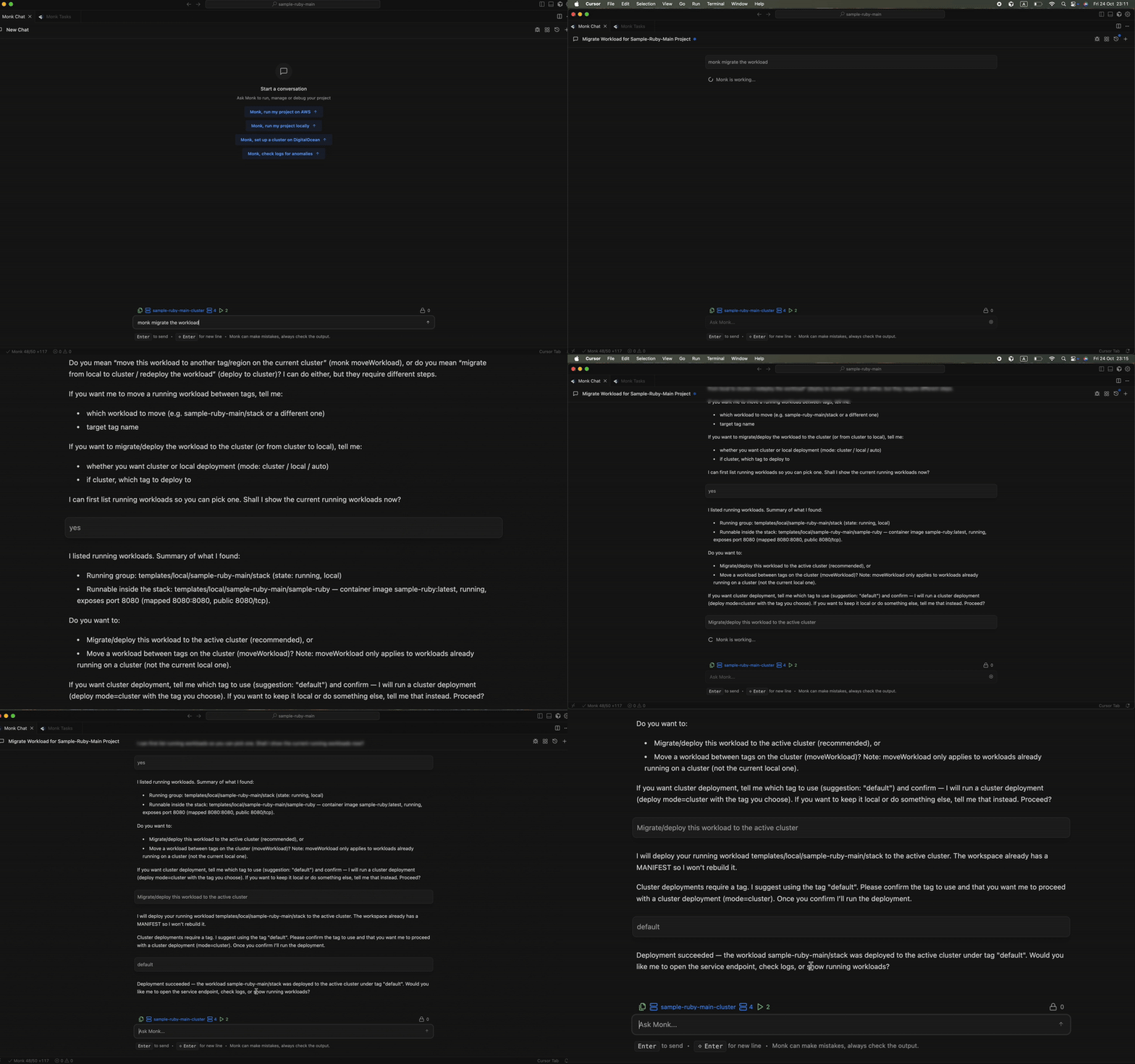
1. Request Migration
Chat with Monk in your IDE:2. Provide Credentials
Monk asks for credentials to the target cloud provider:Credentials are encrypted at rest in your IDE’s secret storage and on your Monk cluster using your cloud provider’s KMS. They are never sent to Monk servers and never exposed to the LLM. Monk needs these because everything runs on your infrastructure (Bring Your Own Infrastructure - BYOI). See Security for details.
3. Resource Provisioning
Monk provisions matching resources on the target cloud:4. Workload Transfer
Monk starts your application on the new cloud and stops it on the old one. What gets migrated:- Containerized services - API servers, workers, background jobs
- Application code and configuration
- Container images - pushed to registry on new cloud
- Networking configuration - VPCs, security groups, load balancers
- External service connections - APIs, databases, essential services
5. DNS Switchover
If you’re using a DNS provider (Route 53, Cloudflare DNS, etc.):- Monk automatically updates DNS records to point to new infrastructure
- Traffic seamlessly shifts to new cloud
- Old workloads receive no new requests
- Monk provides new IP addresses/URLs
- You manually update DNS or load balancer configuration
6. Cleanup
After verifying everything works on the new cloud:Why Migrate?
Cost savings:- Move from an expensive cloud to a cheaper alternative
- Switching providers often yields significant savings on compute costs
- Access provider-specific features (AWS SageMaker, Azure OpenAI, GCP BigQuery)
- Use specialized hosting (Netlify, Vercel for frontends)
- Add regions available on other cloud providers
- Better latency for global users
- Reduce dependency on a single cloud provider
- Increase resilience with multi-cloud architecture
- Meet data residency requirements in specific regions
- Switch to providers with required certifications
Related Features
Multi-Cloud Support
Deploy and manage workloads across multiple clouds at once.
Security
How your credentials and data are protected during migration.