

What It Does
Monk analyzes your code, figures out what your app needs, and handles the rest. You don’t write config files. You don’t document your architecture. Your coding agent points Monk at a repo, and Monk understands it. Single service or complex monorepo. Any language, any framework. Existing container or Kubernetes configs, or none at all — doesn’t matter.How It Works
When Analysis Happens
Monk analyzes your code automatically:- During deployment — whenever you or your coding agent trigger a deploy
- When changes are detected — new services, swapped databases, restructured architecture
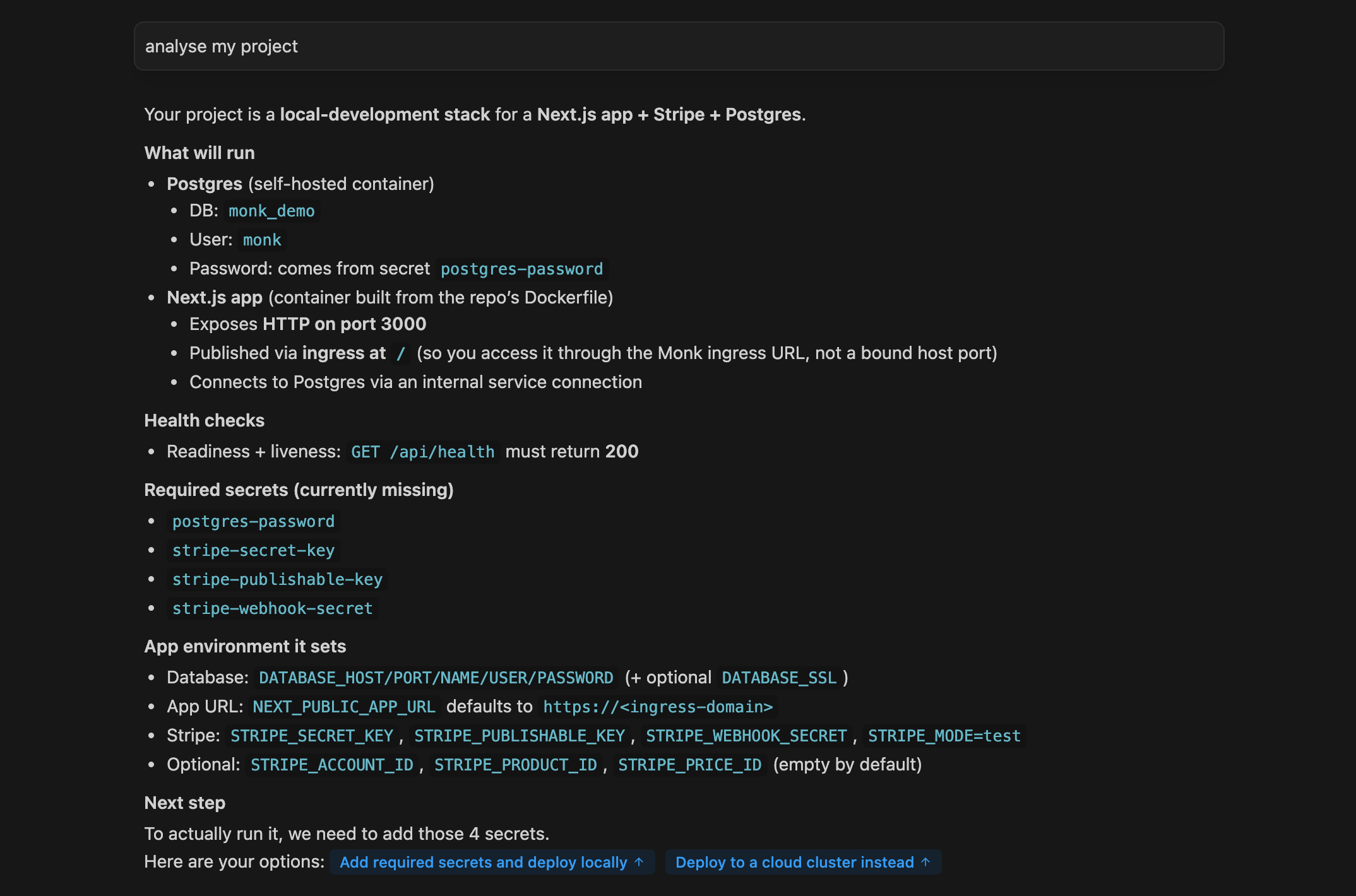
- On demand — tell Monk
analyse my projectto run analysis without deploying
What Monk Looks For
Monk doesn’t read every line of source code. It targets specific indicators to build a picture of your application:- Entry points —
main.py,index.js,server.go, application start files - Environment variable references —
process.env.DATABASE_URL,os.getenv(), config loading - Dependencies —
package.json,requirements.txt,go.mod,Gemfile - Exposed endpoints — API routes, port bindings, server configurations
- Database connections — ORM configs, database client initialization
- Third-party integrations — API clients, SDK usage, service connections
Existing Configuration
If you already have config files, Monk reads those too:- READMEs — setup instructions, architecture notes
- Compose files — service definitions and relationships
- Helm charts — Kubernetes configurations
- Terraform files — infrastructure requirements
- CI/CD configs — build and deployment steps
Monk uses these files for additional context, but doesn’t require them.
Hand Monk raw code with zero config files and it’ll figure everything out.
Example: What Monk Sees
Here’s what Monk picks up in a typical Node.js + React project:- Frontend: React SPA that needs an API connection — deploy to Netlify/Vercel
- Backend: Express API on port 3000, needs PostgreSQL and Stripe — containerize and deploy to cloud
- Database: PostgreSQL required — provision a managed instance or self-host
- Config needed:
API_URL,DATABASE_URL,STRIPE_SECRET_KEY - Build process:
npm installthennpm startfor both services
What Happens Next
Once Monk understands your code, your coding agent and Monk work together to:- Configure and wire services — generate all environment variables and connection strings
- Containerize your application — create optimized containers tailored to your app
- Set up build & CI/CD — create build pipelines that match your app’s needs
- Deploy everything — place each component on the right platform
Privacy & Security
Fragments of your source code are sent to Monk servers for analysis but are
not stored and are not used for training. The code is examined solely
to infer deployment details. See Security for full
details on how your code and credentials are protected.
Autonomous Deployment
See how Monk deploys your app end-to-end after analysis.
Configuration & Wiring
How Monk auto-generates configs from what it learns about your code.